Table of Contents
- Why a Remote Work Schedule Email Is Crucial for Distributed Teams
- Core Elements Every Remote Work Schedule Email Should Include
- 1. Clear Subject Line
- 2. Brief Opening Statement
- 3. Detailed Schedule Table
- 4. Time‑Zone Clarification
- 5. Availability Notes
- 6. Call to Action
- 7. Professional Closing
- Sample Remote Work Schedule Email Templates
- Template 1: Simple Weekly Schedule for a Single Employee
- Template 2: Cross‑Time‑Zone Team Coordination
- Template 3: Flexible Hours Request with Manager Approval
- Best Practices for Crafting a Remote Work Schedule Email
- Be Consistent with Format
- Leverage Automation When Possible
- Mind the Tone
- Include a Quick Reference Link
- Review Before Sending
- Integrating the Schedule Email into Your Overall Communication Strategy
- Common Pitfalls and How to Avoid Them
- Over‑Complicating the Message
- Neglecting Time‑Zone Conversions
- Failing to Update Changes Promptly
- Using Vague Language
- Measuring the Impact of Your Remote Work Schedule Emails
- Final Thoughts on Mastering Remote Work Schedule Emails
Remote work has become a cornerstone of modern business, and with it comes the challenge of clearly communicating work schedules across time zones, projects, and personal commitments. A well‑crafted remote work schedule email not only sets expectations but also builds trust, reduces confusion, and enhances overall productivity. In this comprehensive guide, we’ll walk you through why such an email matters, the essential components it should contain, and provide ready‑to‑use sample templates that you can adapt instantly.
Whether you’re a manager rolling out a new hybrid policy, an employee negotiating flexible hours, or a freelancer needing to sync with multiple clients, the structure of your message can make or break the arrangement. By the end of this article, you’ll have a toolbox of examples, tips, and best‑practice insights that transform a simple schedule notice into a strategic communication piece.
Why a Remote Work Schedule Email Is Crucial for Distributed Teams
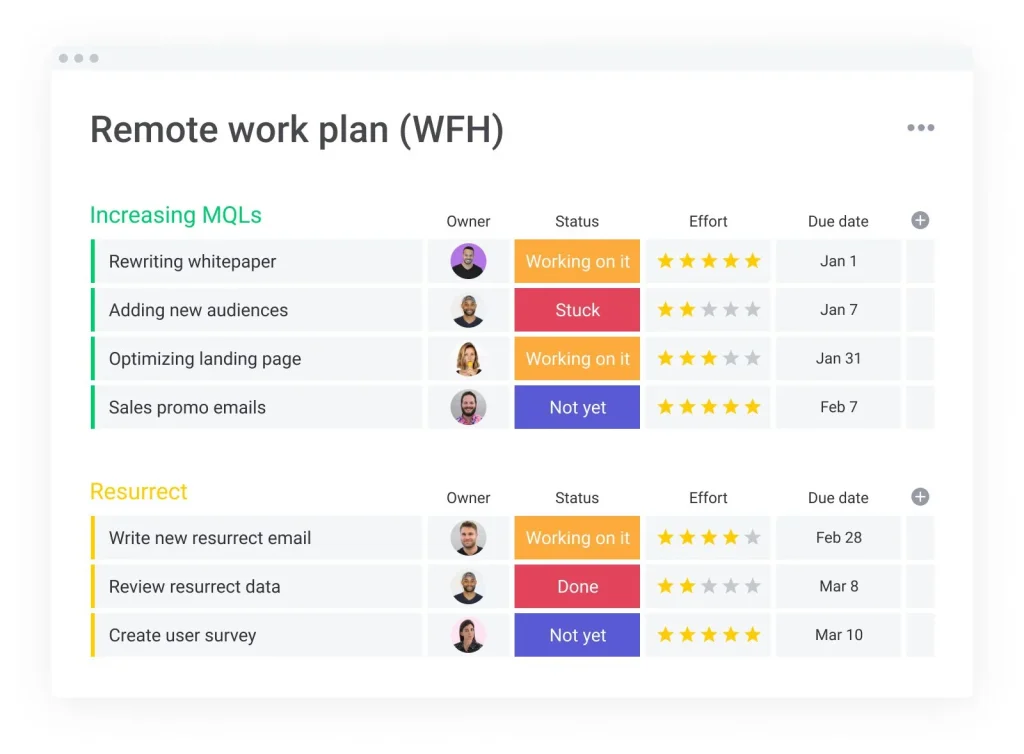
In a traditional office, visual cues—like a shared calendar on the wall or a quick hallway chat—help everyone stay on the same page. In a remote environment, those cues disappear, leaving written communication as the primary method for conveying availability. A remote work schedule email serves several pivotal functions:
- Clarity: Explicitly states when you will be online, offline, or in focus mode.
- Accountability: Provides a documented reference point for managers and teammates.
- Flexibility Management: Balances personal needs with business demands, especially across time zones.
- Team Cohesion: Reduces the “who’s‑available‑when” anxiety that can erode morale.
When you combine these benefits with a polished email format, you create a culture of transparency that encourages proactive collaboration.
Core Elements Every Remote Work Schedule Email Should Include
1. Clear Subject Line
The subject line is the first thing recipients see, so it must convey the purpose instantly. Use a format like “Remote Work Schedule – [Your Name] – Week of May 15‑21” or “Team Availability Update – Q3 2026”. This helps inbox filters and busy readers spot the email quickly.
2. Brief Opening Statement
Start with a concise sentence that sets the context. For example, “I’m sharing my remote work schedule for the upcoming week to ensure smooth coordination on our deliverables.” This line reinforces why you’re writing.
3. Detailed Schedule Table
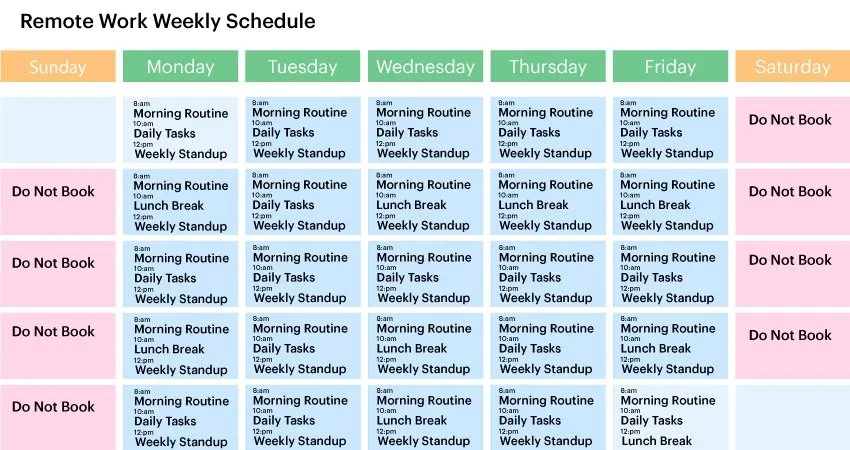
Visual tables are easier to scan than blocks of text. Include columns for date, working hours (including time zone), focus periods, and any planned breaks or meetings. Use plain text tables for plain‑text emails or embed an HTML table for richer formatting.
4. Time‑Zone Clarification
If your team spans multiple regions, always state the time zone explicitly (e.g., “9 AM – 5 PM EST”). Consider adding a UTC conversion for global clarity.
5. Availability Notes
Highlight periods when you’ll be fully reachable (e.g., “Open for video calls 10 AM–12 PM”) and times you’ll be in “focus mode” or offline. This helps teammates plan meetings without interruptions.
6. Call to Action
Invite feedback or confirm that the schedule works for key stakeholders. A simple line like “Please let me know if any adjustments are needed for the upcoming sprint” encourages dialogue.
7. Professional Closing
End with a courteous sign‑off, your full name, role, and contact information. Consistency across all schedule emails reinforces professionalism.
Sample Remote Work Schedule Email Templates
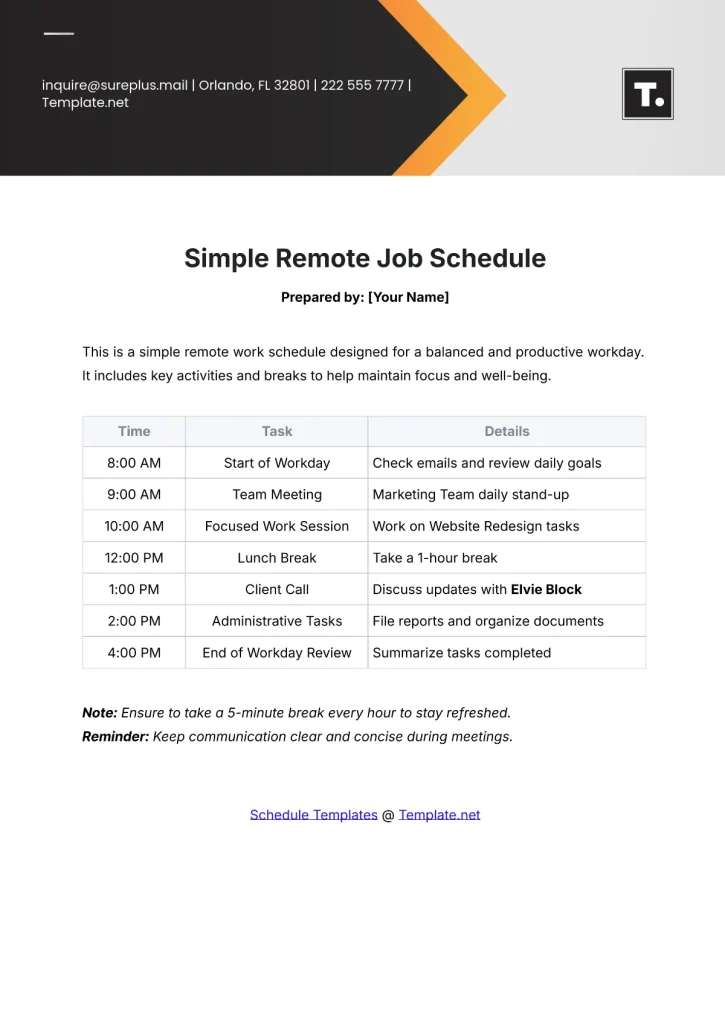
Template 1: Simple Weekly Schedule for a Single Employee
Subject: Remote Work Schedule – Alex Rivera – Week of May 15‑21
Hi Team,
Below is my remote work schedule for the week of May 15‑21 (all times in EST):
| Date | Working Hours | Focus Time | Meetings (if any) |
|------------|---------------|-----------------|-------------------|
| Mon 15 May | 9 AM‑5 PM | 10‑12 AM, 2‑4 PM| 11 AM – Project Sync |
| Tue 16 May | 9 AM‑5 PM | 9‑11 AM, 3‑5 PM | 1 PM – Client Call |
| Wed 17 May | 9 AM‑5 PM | 10‑12 PM, 1‑3 PM| – |
| Thu 18 May | 9 AM‑5 PM | 9‑11 AM, 2‑4 PM | 10 AM – Team Stand‑up |
| Fri 19 May | 9 AM‑3 PM | 9‑11 AM | – |
I’ll be fully available for video calls between 10 AM‑12 PM each day. Please let me know if any of these times conflict with upcoming deadlines.
Best,
Alex Rivera
Product Designer
[email protected]
Template 2: Cross‑Time‑Zone Team Coordination
Subject: Team Availability Update – Q3 2026 (Multiple Time Zones)
Hello Everyone,
To streamline our collaboration across the US, EU, and APAC regions, I’ve compiled each team member’s remote work schedule for the next two weeks. All times are listed in the local time zone with a UTC offset.
| Name | Time Zone | Working Hours (Local) | Core Overlap (UTC) |
|----------------|-----------|-----------------------|--------------------|
| Maya Patel | GMT+1 (CET) | 8 AM‑4 PM | 7 AM‑12 PM |
| Carlos Silva | GMT‑3 (BRT) | 9 AM‑5 PM | 12 PM‑5 PM |
| Li Wei | GMT+8 (CST) | 10 AM‑6 PM | 2 AM‑10 AM |
| Emma Johnson | GMT‑5 (EST) | 7 AM‑3 PM | 12 PM‑5 PM |
**Core Overlap**: The window where at least three members are simultaneously online is 12 PM‑2 PM UTC (7 AM‑9 AM EST, 1 PM‑3 PM CET). Please schedule cross‑regional meetings within this slot whenever possible.
If you anticipate any changes (e.g., personal appointments or travel), update the shared Google Sheet by Friday COB so we can keep the matrix current.
Thanks for your cooperation!
Best regards,
Jordan Lee
Operations Manager
[email protected]
Template 3: Flexible Hours Request with Manager Approval
Subject: Request for Flexible Remote Work Hours – June 2026
Dear Samantha,
I hope you’re well. I would like to propose a flexible work schedule for June 2026 to accommodate my upcoming graduate coursework. Below is my suggested plan:
- **Monday‑Wednesday**: 8 AM‑4 PM PST (focus on client deliverables)
- **Thursday‑Friday**: 10 AM‑6 PM PST (available for meetings)
I will remain reachable via Slack and email during core hours (10 AM‑2 PM) and will ensure all project milestones are met. Please let me know if you have any concerns or need adjustments.
Thank you for considering my request.
Kind regards,
Ravi Kumar
Senior Analyst
[email protected]
Best Practices for Crafting a Remote Work Schedule Email
Be Consistent with Format
Choose a format (plain text, HTML table, or attached spreadsheet) and stick to it. Consistency reduces cognitive load for readers who scan multiple schedule emails weekly.
Leverage Automation When Possible
Many collaboration tools (e.g., Outlook, Google Calendar, or specialized HR platforms) allow you to auto‑populate schedule emails. Setting up a template that pulls data from your calendar can save time and reduce errors.
Mind the Tone
Even though the email is functional, maintain a courteous and collaborative tone. Phrases like “Please let me know if this works for you” signal openness and respect.
Include a Quick Reference Link
If your organization uses a shared calendar or scheduling board, embed a link for instant access. For example: view the full holiday schedule to see how other departments handle peak periods.
Review Before Sending
Double‑check dates, time zones, and any meeting references. A small mistake can lead to missed calls, especially when dealing with international teams.
Integrating the Schedule Email into Your Overall Communication Strategy

While a remote work schedule email is valuable on its own, it gains extra power when combined with other communication pillars:
- Weekly Sync Meetings: Use the schedule email as a pre‑read before your weekly stand‑up, allowing the meeting to focus on priorities rather than logistics.
- Project Management Tools: Mirror the schedule in tools like Asana or Trello, so task assignments respect each member’s availability.
- Status Reports: Reference your schedule when summarizing progress, reinforcing accountability.
- Feedback Loops: Encourage teammates to share what works and what doesn’t, iterating on the format over time.
By weaving the schedule email into these broader practices, you reinforce a culture where transparency and predictability are the norm rather than the exception.
Common Pitfalls and How to Avoid Them
Over‑Complicating the Message
Adding too many details (e.g., personal errands) can distract from the core purpose. Stick to work‑related availability and keep personal notes brief or separate.
Neglecting Time‑Zone Conversions
Assuming everyone knows your local time leads to missed meetings. Always provide UTC or the recipient’s time zone as a reference.
Failing to Update Changes Promptly
Remote work is fluid; if a meeting is moved or a day off is added, send an amendment within 24 hours. Consider a quick “Schedule Update” subject line to signal the change.
Using Vague Language
Terms like “flexible hours” without specifics cause ambiguity. Define exact start and end times, even if they vary day‑to‑day.
Measuring the Impact of Your Remote Work Schedule Emails

To ensure your communication is effective, track a few key metrics:
- Meeting Attendance Rate: Compare the percentage of scheduled meetings attended before and after implementing clear schedule emails.
- Response Time: Measure how quickly teammates reply to urgent queries during declared “focus periods”.
- Project Milestone Adherence: Monitor whether deliverable dates are met more consistently.
- Employee Satisfaction Surveys: Include a question about clarity of schedule communication.
Positive trends in these areas typically indicate that your schedule emails are reducing friction and enhancing collaboration.
Final Thoughts on Mastering Remote Work Schedule Emails
Effective remote work hinges on clear, consistent, and courteous communication. By treating your schedule email as a strategic touchpoint—complete with a compelling subject line, a well‑structured table, time‑zone clarity, and a polite call to action—you empower your team to operate with confidence, regardless of where they log in from. Remember to iterate based on feedback, leverage automation where possible, and integrate the schedule into your broader workflow tools.
With the templates, best practices, and pitfalls outlined above, you’re now equipped to draft remote work schedule emails that not only inform but also strengthen teamwork. Start implementing today, and watch your distributed team’s productivity—and morale—rise.